

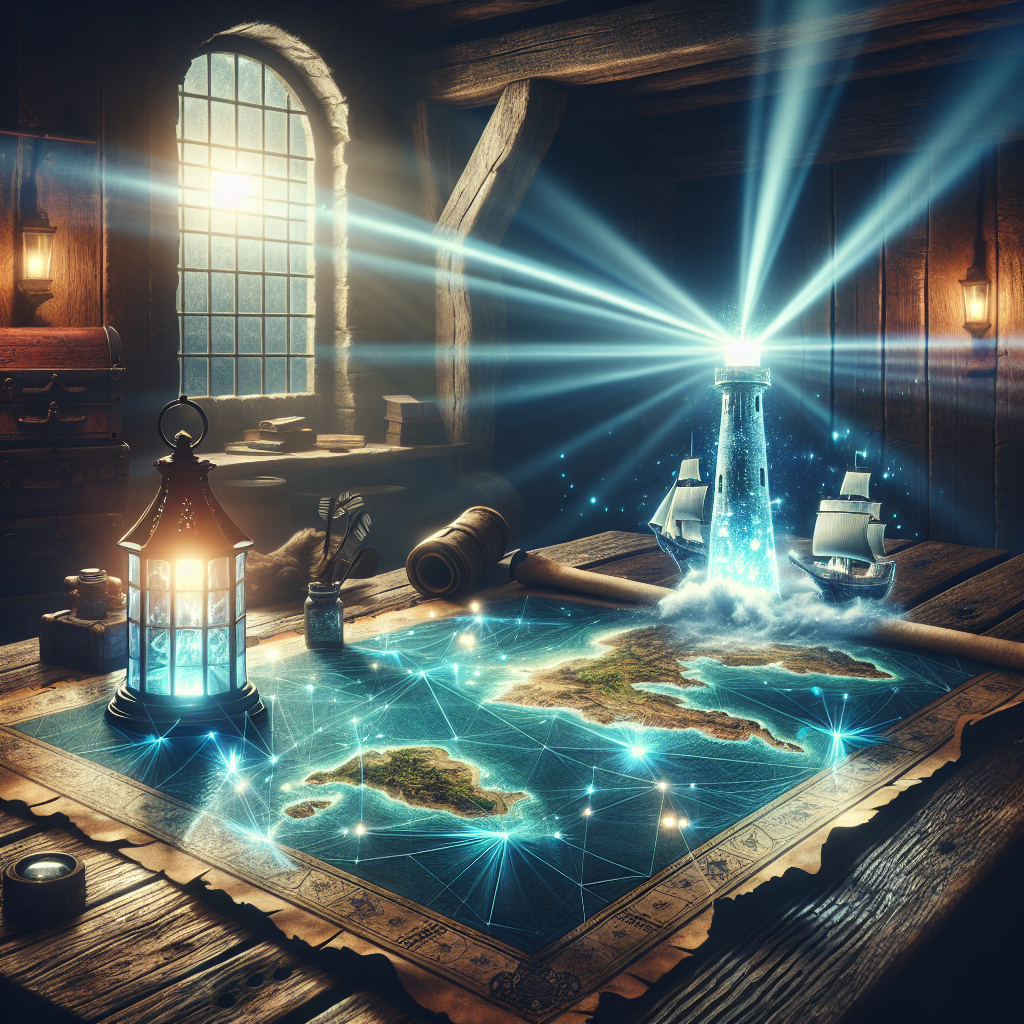
Master Your Map with a Valheim Seed Viewer
Ever spent three hours sailing against the wind only to find a tiny, barren Swamp biome with absolutely zero Sunken Crypts? Yeah, me too. A valheim seed viewer is the ultimate fix for that exact frustration. Look, we all love the thrill of exploring the unknown, but sometimes you just need to know where things actually are before you waste your entire weekend.
Here is a little story that completely changed my approach. Back in the winter of 2026, I was playing from my apartment in Kyiv. Because of some grid maintenance, we had these scheduled rolling blackouts, meaning my window for gaming was strictly calculated. I had exactly three hours of uninterrupted router power running on a hefty power bank. When you are surviving on a tight energy budget, you absolutely cannot afford aimless wandering in a video game. That is when utilizing a map analysis tool went from being a casual cheat to an essential time-management strategy. I needed to know exactly where the iron was, map out the most efficient sailing route, and get back to base before my router battery died.
Using a map generation tool totally reshaped my gameplay loop. Instead of feeling frustrated by endless oceans, I became a master navigator with a clear purpose. If you want to stop wasting hours and start building epic mead halls with chests full of black metal, you are in the right place.
The Core Benefits of Using a Map Analyzer
So, what exactly is a valheim seed viewer? It is basically a web-based cartography engine that reads the unique code of your game world and generates a fully interactive, top-down map. You just punch in your alphanumeric code, and suddenly the fog of war disappears. You can filter the map to show trader locations, boss altars, leviathans, and specific biome boundaries. It completely eliminates the guesswork from your viking journey.
There is a massive difference between playing entirely blind and utilizing a bit of external intelligence. Some purists argue against it, but the value proposition is undeniable for anyone with a full-time job or limited free time. You get to bypass the tedious aspects of exploration while retaining the fun of combat, base building, and resource gathering.
| Feature | Blind Playthrough | Using a Seed Viewer |
|---|---|---|
| Finding Haldor | Can take 50+ hours of random sailing | Takes 30 seconds to locate exactly |
| Boss Progression | Relying entirely on rare runestones | Direct pathing to the optimal altar |
| Resource Gathering | Highly luck-dependent per biome | Targeted farming of dense resource clusters |
Here are just a few specific examples of why this tool changes everything. First, finding the perfect starter island. Sometimes you spawn on an island that has literally nothing but Meadows and Black Forest, forcing you to build a raft immediately. With the tool, you can reroll codes until you find a starting landmass that connects directly to Mountains and Swamps. Second, optimizing boss fights. You can locate an altar that is right next to a naturally defensible structure, making the fight infinitely easier.
- Total Time Optimization: Stop wasting your precious weekends sailing past empty shorelines. Plan your voyages with absolute precision.
- Base Location Scouting: Find those rare, highly coveted spots where three or four biomes intersect, allowing you to farm multiple resources without long commutes.
- Trader Guarantee: Never miss Haldor or Hildir again. You can see all their possible spawn points and trigger the most convenient one.
- Avoiding Dead Zones: Keep yourself completely away from massive empty oceans or endless Ashlands that lack the specific fortresses you need to raid.
Origins of Viking Map Tools
The history behind these community tools is actually fascinating. When the game first exploded in popularity during early access, players quickly realized that the procedural generation could sometimes be incredibly cruel. You could play for weeks and never find the merchant. Frustrated coders in the community decided to take matters into their own hands, digging into the Unity engine files to figure out exactly how the math worked.
Initially, these tools were clunky, terminal-based scripts that just spat out coordinates. You had to manually translate those numbers into in-game directionals. It was tedious, but it proved the concept worked. The demand for a visual interface grew massively as the player base expanded.
The Great Biome Updates
As the developers continued to push massive updates, like the Mistlands and Ashlands, the map generation algorithms shifted dramatically. Early versions of the tool broke completely when the terrain generation logic was rewritten to accommodate massive jagged cliffs and dense fog mechanics. The creators of the map viewer had to constantly adapt, releasing hotfixes literally hours after official game patches dropped. They added specialized filters for things like Infested Mines and Dvergr outposts, making the tool more sophisticated than ever.
Modern State in 2026
Fast forward to 2026, and the map mapping ecosystem is basically a fully-fledged software suite. The interface is incredibly polished, featuring full high-resolution rendering, custom marker support, and even 3D topographical overlays. It has evolved from a simple cheat sheet into a comprehensive planning application used by casuals and speedrunners alike. The servers hosting these scripts process thousands of requests every single day, proving that intelligent map planning is a permanent fixture of the community culture.
The Math Behind Procedural Generation
You do not need a computer science degree to use the tool, but understanding the underlying mechanics makes you appreciate it a whole lot more. The game uses procedural generation driven by a specific set of mathematical rules. Every single tree, rock, and mountain peak is determined by a pseudo-random number generator that uses your input code as the initial seed value.
Reading the Hex Code
The map viewer operates by essentially reverse-engineering this process. It mimics the exact Unity engine functions used by the game developers. When you type in your ten-character code, the website runs the identical algorithm locally on your browser. It calculates the base elevation maps, applies the biome distribution noise, and then scatters the specific points of interest according to hardcoded distance rules. It is a brilliant piece of software emulation happening in milliseconds.
- Perlin Noise Algorithms: The core of the terrain generation relies on layered Perlin noise, creating natural-looking transitions between deep oceans and high mountains.
- Distance Constraints: Bosses and traders have strict minimum and maximum spawn distances from the absolute center of the map (coordinate 0,0).
- Altitude Thresholds: Biomes like the Deep North and Mountains only generate when the procedural elevation pushes past specific height markers.
- Zone Instances: Every map is divided into a grid of zones, and the algorithm rolls a weighted dice to decide what structure or dungeon spawns in each zone.
Your 7-Day Action Plan for Map Mastery
Ready to completely revolutionize your gameplay? I have put together a foolproof, step-by-step strategy for getting the absolute most out of your map generation tool. Follow this exact progression to become a master cartographer.
Step 1: Locate Your World Code
First things first, you need the actual alphanumeric code of your server. If you are playing locally, just look at the character selection screen. The code is clearly listed right next to your world name. If you are playing on a dedicated server, you will need to ask the server administrator for it. Write this ten-character string down exactly as it appears, as it is entirely case-sensitive. A single wrong letter will generate a completely different universe.
Step 2: Access the Web Interface
Open up your browser and navigate to the most popular community-hosted seed viewer site. The interface is incredibly lightweight and runs entirely client-side, meaning it will not hog your bandwidth. I highly recommend doing this on a secondary monitor or a tablet so you can keep the map open while you are actively playing the game on your main screen.
Step 3: Configure Game Versions
This is a critical step that many people mess up. Make sure you select the correct game version from the dropdown menu on the website. Map generation changes with major updates. If you are playing on the latest 2026 patch but the site is set to an older Mistlands era version, the map will look completely wrong and the boss locations will be wildly inaccurate. Double-check your patch notes.
Step 4: Toggle Essential Markers
When the map first loads, it will likely be cluttered with thousands of icons. It can be totally overwhelming. Immediately head to the filter menu on the left sidebar and turn off the minor markers. Hide the random crypts, the berry bushes, and the shipwrecks. You want to start with a clean slate. Toggle on just the boss altars and the trader locations to get a macro-level understanding of your geography.
Step 5: Plan the Sailing Routes
Now that you can see the big picture, start planning your actual voyages. Look for the safest channels through the oceans that avoid massive stretches of open water where sea serpents spawn. Identify small islands along the way that can serve as emergency repair outposts for your longship. Draw a mental line from your main base to your target destination, ensuring you are sailing with the prevailing wind patterns whenever possible.
Step 6: Identify Trader Locations
Haldor the merchant usually has around ten possible spawn points scattered across the Black Forest biomes. However, he will permanently lock into the very first one you physically approach. Use the tool to find the spawn point that is closest to an ocean biome, making it incredibly easy to sail your heavy metal ores right to his doorstep. Once you find the optimal spot, ignore the other nine locations.
Step 7: Export and Share the Map
Once you have configured the perfect view, utilize the download or export feature. You can save a high-resolution image of the map directly to your hard drive. If you are playing with friends, dump this image into your Discord server and use markup tools to draw out your expansion plans. Coordinated multiplayer is exponentially more fun when everyone is literally on the same page regarding where to build the next portal hub.
Separating Myth from Reality
Myth: Using this kind of tool completely ruins the magic of the game and makes you quit playing sooner.
Reality: For most busy adults, it actually extends the lifespan of the game. Removing the tedious aspects of endless sailing allows you to focus heavily on the highly rewarding base-building and combat mechanics.
Myth: The website can steal your game data or corrupt your save files.
Reality: The site operates entirely passively. It only reads the ten-character text string you manually type in. It has absolutely zero direct connection to your local game files or your hard drive.
Myth: You can use the map to spawn items directly into your inventory.
Reality: The viewer is strictly a visual aid. It provides geographical information. It does not interface with the console commands and cannot alter the physical state of your character or inventory.
Myth: The generated map is always 100 percent perfectly accurate down to the single tree.
Reality: While massive structures and biomes are highly accurate, micro-details like exact copper vein shapes or specific tree placements can vary slightly due to minor runtime physics calculations in the Unity engine.
Frequently Asked Questions
Is using a map tool considered cheating?
This entirely depends on your personal gaming philosophy and your server rules. For solo players, play however brings you the most joy. For multiplayer, always establish a consensus with your friends before using external tools.
Does it work for older, pre-update worlds?
Yes, the top-tier websites include a version history toggle. You can select exactly which patch your world was originally generated on to get an accurate representation of your legacy map.
Why are some icons missing from my generated map?
Usually, this happens if you have the wrong game version selected, or if you accidentally toggled off a specific category in the deeply nested filter settings. Just reset the filters to default.
Can I view maps from console versions of the game?
Absolutely. The core math behind the procedural generation is identical across all platforms. A world code from a console will generate the exact same topography as a PC code.
How do I find my dedicated server code?
If you do not have direct access to the server configuration files, you will need to ask the person hosting the game. The code is stored plainly in the startup batch file or the server hosting dashboard.
Does the tool show player-built structures?
No. The algorithm only predicts the naturally generated terrain and default spawn points. It has no way of knowing where you placed your portals, bases, or tamed boars.
Will future game updates break the tool?
Historically, major terrain updates do temporarily cause issues. However, the dedicated community developers usually update the underlying logic within a few days of a major patch dropping.
At the end of the day, your gaming time is incredibly valuable. Do not spend it staring at endless fog and empty oceans if that brings you frustration instead of joy. Open up a valheim seed viewer, chart your course, and conquer the realms with absolute tactical precision. Grab your world code right now, punch it into the generator, and start planning your ultimate fortress today!
Leave a Reply